
1. On occasion, warehouses will experience the following error: 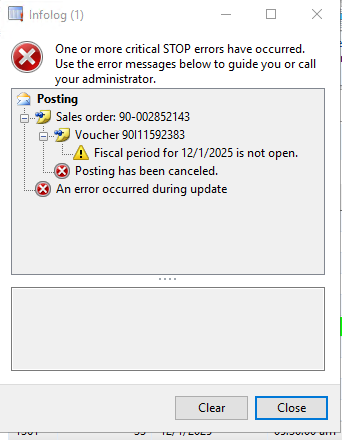
2. To correct, do the following: Open AX to General Ledger (GL)
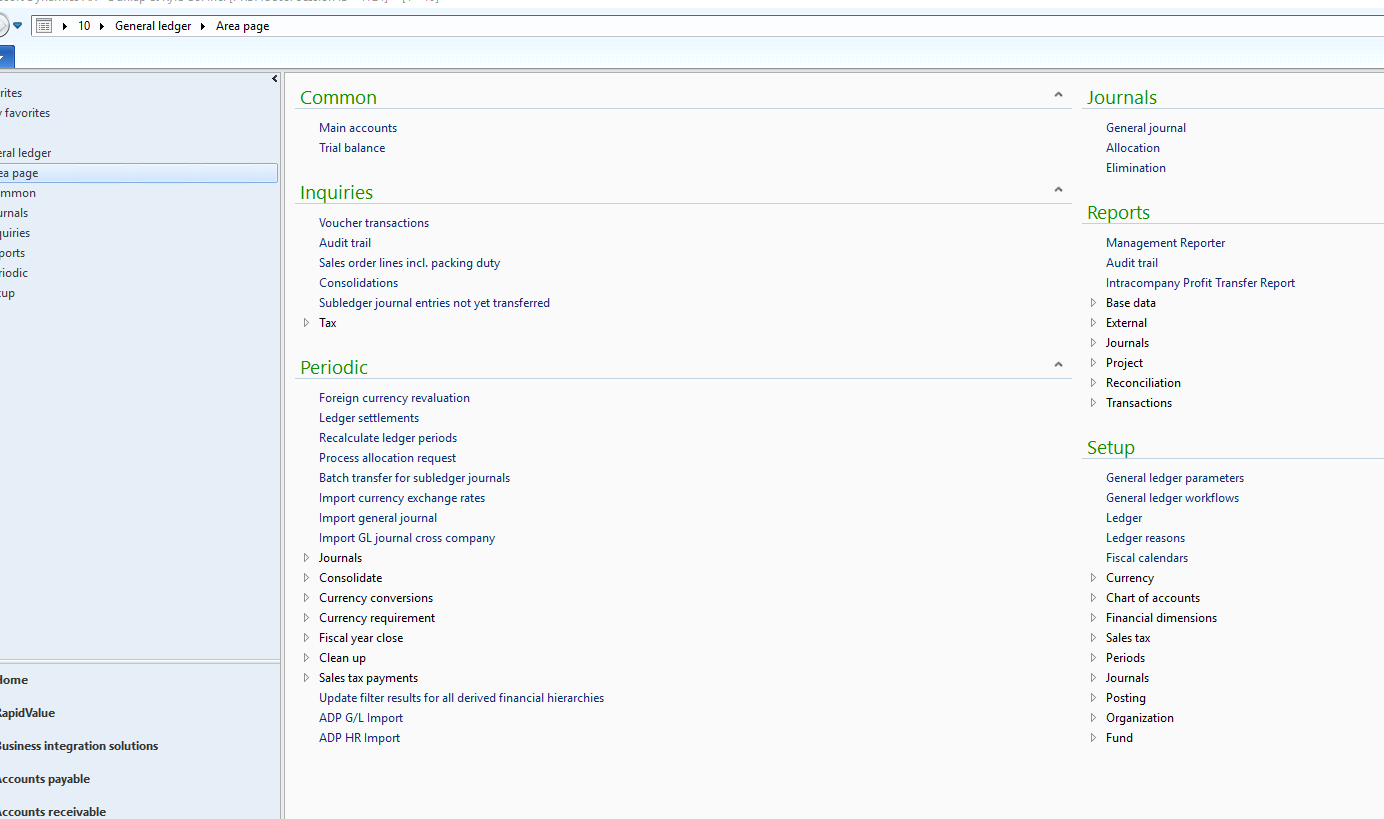
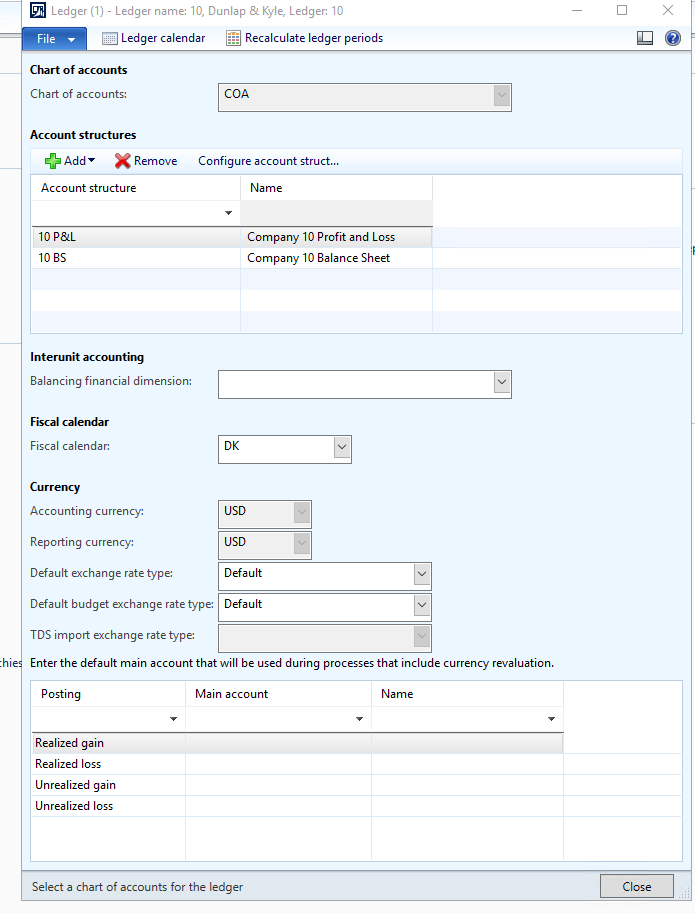
3. Navigate to Setup and open the "Ledger" tab
4. Click "Ledger Calendar"
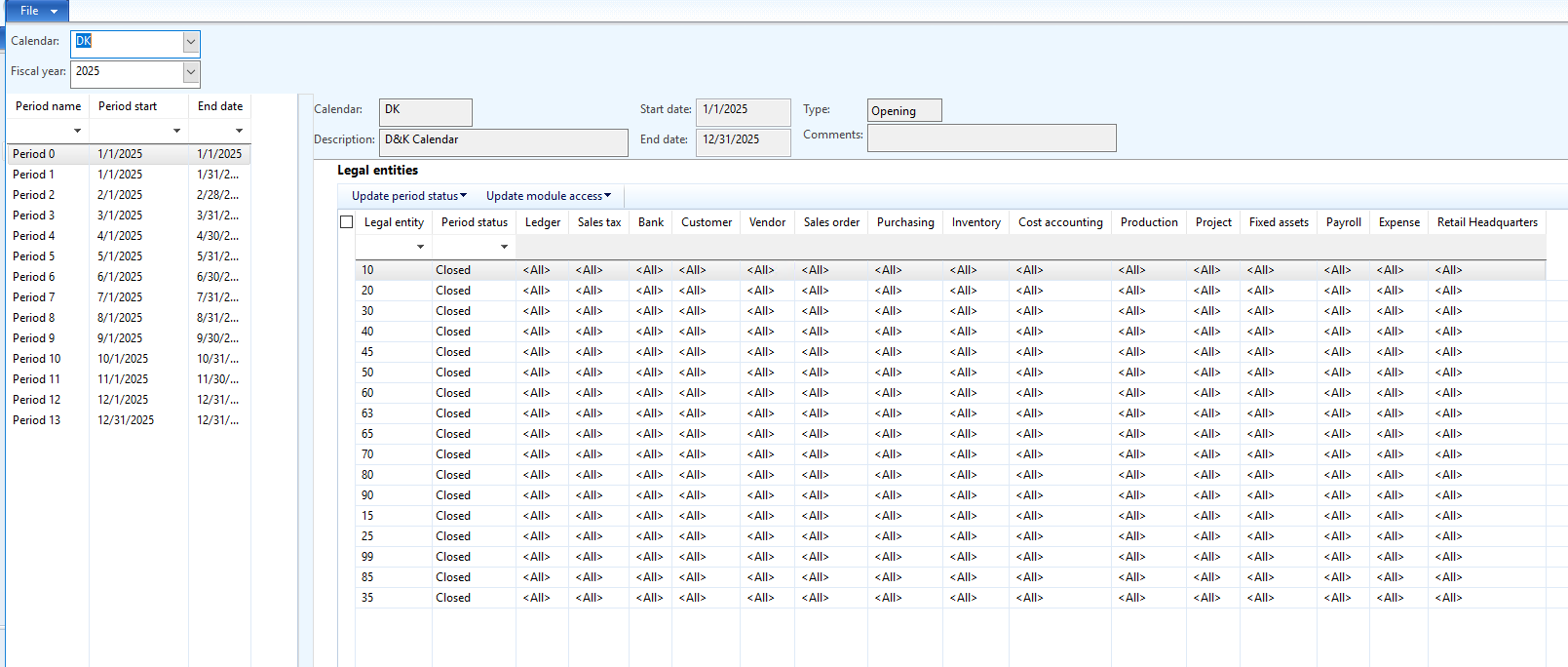
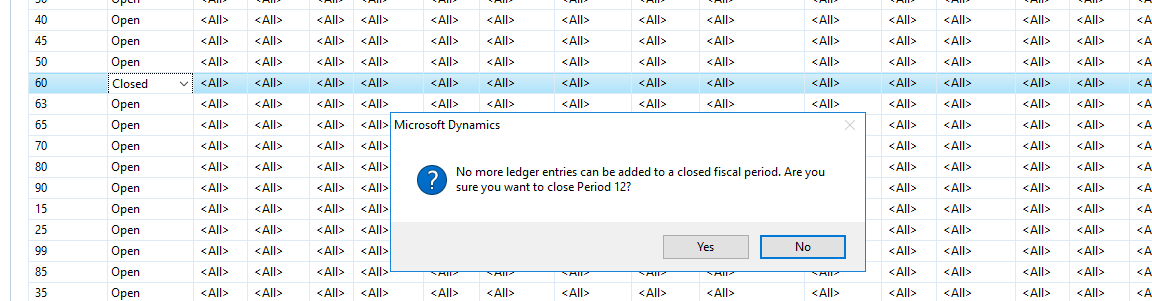
5. Select the date indicated by the fiscal error, select the dropdown and change from "closed" to "open"
6. Close & close the ledger. Error should be resolved.